Buzz Cut Filter
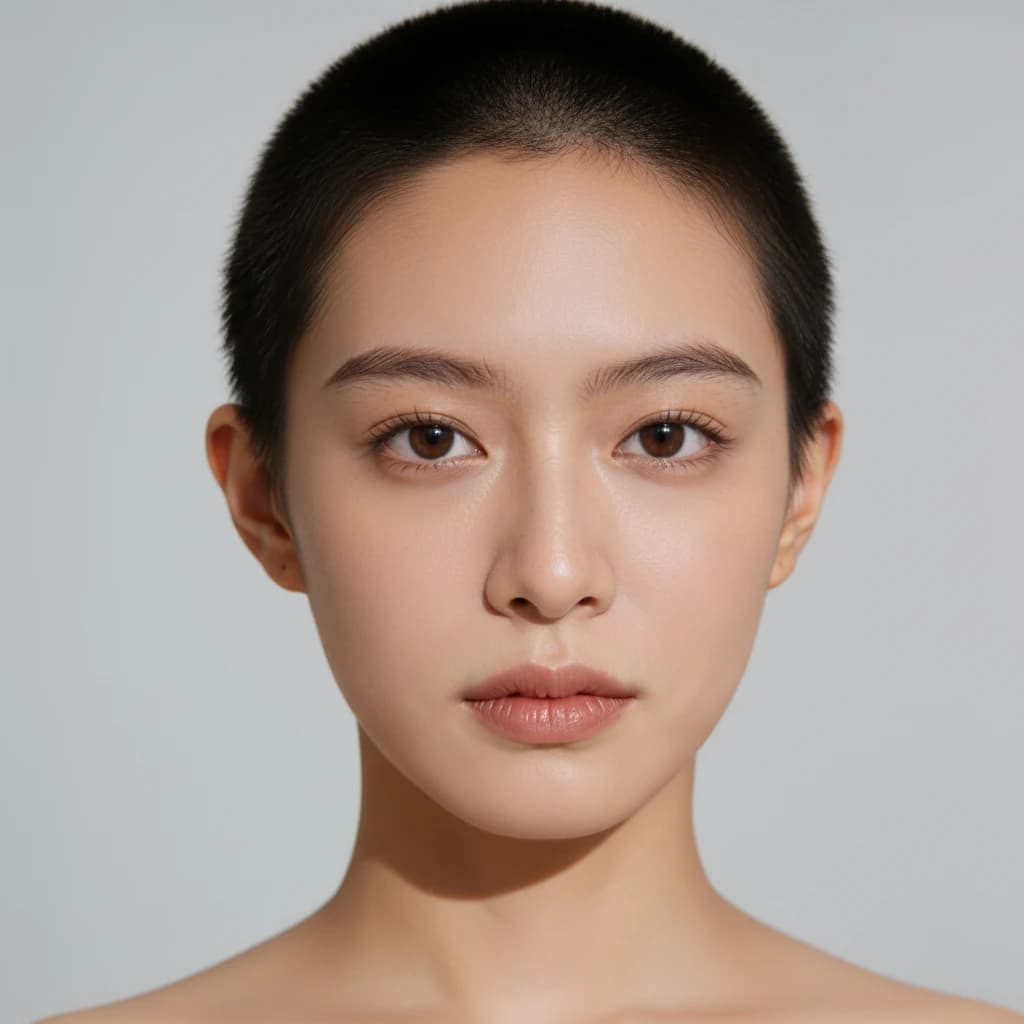
Tempted to shave it all off? Upload a photo and the buzz cut filter shows a clean, close-shaved buzz cut on your own face — not a model's. It re-renders only the hair, so your features, expression and the photo's lighting stay untouched. See exactly how a buzz cut suits you before you commit to the big chop.
Buzz Cut Filter
Drag image here, click to browse, or paste from clipboard
Max size: 5MB

Example results
An Honest Look at Your Head Shape
A buzz cut hides nothing, so the real question is whether it suits your head. The buzz cut filter shows your actual skull shape and hairline with the hair shaved down — an honest preview, not a flattering fake.


Your Face Stays Your Face
Powered by the nano-banana edit model, the tool changes only the hair. Your eyes, skin, expression and the background stay exactly as shot — no warped features or plastic edges, so the buzz cut looks believable instead of pasted on.
HOW TO
How to See Yourself With a Buzz Cut
Upload a Clear Photo
Drop in a well-lit, front-facing photo where your face and hairline are clearly visible. A clean selfie gives the buzz cut filter the most realistic result.
Let the Buzz Cut Filter Run
The AI shaves your hair down to a uniform buzz cut while keeping your face, expression and lighting untouched. One render costs 16 credits.
Download & Compare
Your buzz cut preview is ready in around 20 seconds. Put it next to the original and decide — with real proof instead of a guess — whether to actually shave.
AI Preview vs. Shaving and Hoping
What the buzz cut filter shows you in seconds used to be a one-way decision.
Buzz Cut Filter on ImgEditor
- See the buzz cut on your own face in ~20 seconds
- Honest preview of your real head shape and hairline
- Face, skin and lighting stay real and recognizable
- Change your mind freely — it's just a photo, not your hair
Actually Shaving It Off
- One pass with the clippers and it's done
- No way to undo it if the look doesn't suit you
- Hair takes months to grow back out
- Everyone's opinion comes after it's too late
A buzz cut is the hardest haircut to walk back — there's nothing left to restyle. Previewing it first turns an irreversible decision into a five-second, risk-free look.
What People Use the Buzz Cut Filter For
From a nervous first-timer to a full head-shave dare.

Decide Before the Big Chop
The most common use: see a buzz cut on yourself before you commit. Because your face stays recognizable, you get an honest read on whether the shaved look actually suits you.
Preview a Big Change for Long Hair
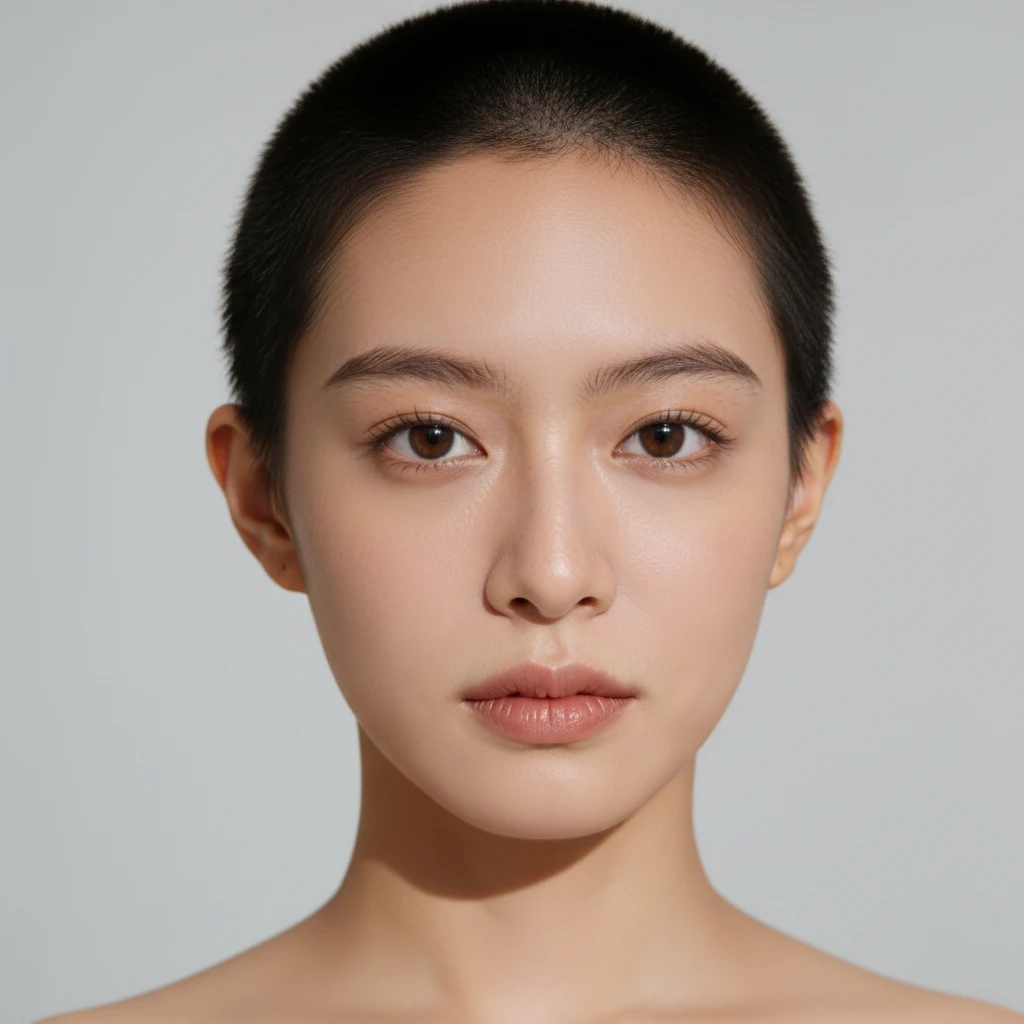
Going from long hair to a buzz is the most dramatic switch there is. Preview the full before/after on your own face so the shock lands on screen first, not in the mirror.

Settle a Dare or Group-Chat Bet
Someone daring you to shave your head? Run the buzz cut filter, drop the result in the chat, and let everyone see the look before anyone touches the clippers.
Pro Tips for the Most Realistic Buzz Cut
Five things that make the preview look like a real haircut instead of an edit.
Use a front-facing, well-lit photo
The buzz cut exposes your whole hairline and head shape, so the AI needs to see them clearly. A straight-on selfie in soft light beats a dramatic side angle.
Reveal your forehead and hairline
If long hair or a fringe covers your forehead, tie it back or pick a photo where your hairline shows — it gives a far more accurate buzz cut.
Skip hats and headbands
Anything covering the top of your head limits the transformation. A bare head gives the AI the full canvas for a clean shave.
Try it with and without facial hair
A buzz cut reads very differently clean-shaven versus with stubble or a beard. Generate a couple of versions to see which balance you like.
Compare against your original
The whole point is the side-by-side. Keep the before photo open next to the result — that contrast is what tells you whether to actually go for it.
FAQ